Posts

Showing posts with the label spreadsheet

My CPD Records

Image
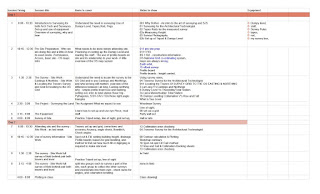
 My CPD Records You may think that because I am no longer a member of CIAT and retired, I can forget CPD, well think again. OK for a while I let the record keeping slip, but thats all changed, I am back to keeping my spreadsheet live and updated, with some inprovements to the spreadsheet, to see areas I might want to add, or improve. My actual CPD has not decreeased at all, I spend most morning reading, researching, talking to Google Gemini, and talking to my editor, and before you ask, he is an Architect who works in NewZealand, and his construction knowledge is rather good. So why do I put myself through all of this, well its partly down to habit, partly to see where I have been, and partly to see where I need to go,  And partly to understand my logging of notes in my Apple Notes Knowledge base,, currently the two are not linked, and thats my next step. I fancy a simple spreadsheet line Number, within Appple Notes and the hash tags I used,  to link time to at least one ...
Handling the Digital World

At present, I am watching several films, reading mail, and pulling thoughts together on a separate Doc, oh, and drawing in a CAD package. I use several screens to keep this little lot in the air and viable. My mac is at present pushing a lot of air through its self, keeping up with all of this, not surprising really given the work load I am putting on it. I work from a small home office, but today I am in the dining room, it takes about 20 min to set up,  or decamp the usual equipment from my small office to the dining room, but I like to keep my Flatcoated Lab happy Data storage is now easy, Google drive handles it all, except for my CAD files which I still store on Dropbox, a legacy from earlier days and one I will eventually move to drive. but other projects need more time to evaluate, such as my sensor project, howwill I handle the massive data I know will be generated. For this, I need to gain a better understanding of sensors their generation of data, routin...

Lesson Plan

Image
In the early days of my slight change in career, from simply running my small practice, to being a Professor, I would be asked to run a lecture, so I made the slides and loaded them up, ran the lesson and was mightly pleased at the result, but come the next year, I found that I have added similar slides to the set, for other years and slightly different classes, that I could not remember which slides I used last time, and the over all format I used. So I went in search of a lesson plan, and whoooo, there are so many, and so many reason, layouts, formats and styles. So I sat back and played about with different ideas, this was over a few weeks. I left it dfor a while, and tried again, this time fixing a style I likes, see todays photo. My lesson plan works for me, I tweek it every now and then, but for the past year its worked well, I use it not only to itemise the slides I want to use, but why. My most recent addition is the pre lesson reading list, articles or books I want the st...

Adding data to a CAD Object - Vectorworks

Image
I want to continue the links I have been adding, re BIM, and how data can be added and linked. This last item is the one that seems to confuse, so stay with me I'll try and explain it all. First lets consider how information can be added to a CAD drawing, and for my ease of mind, for this blog, I shall stick to Vectorworks, its the one I know best, I shall move to Autocad and Revit in the blogs to come. Some time back I made two different videos on this subject, both are shown below, they show the ease and simplistic way data, of almost any shape and size can be added to almost anything in Vectorworks and named, but don't belie this as being low level, its not, this is simply the most powerful CAD database there is. The first shows the way data can be added to a tree symbol and the second how this can be extracted via a report, and imported into a spreadsheet, read Cobie file.

Inserting additional Lines into a Google Sheet

Image
You might want to take a look at my latest video on YouTube, to show how to add or insert rows into a google spreadsheet, its simple but you need to understand where the rows will be added to make it effective. Forgive the slight pause in the middle, for some reason my Mac  did not want to play ball

Cobie Spreadsheet use

Image
Cobie Use I have started to take a serious look at Cobie use as an Architectural Technologist , so I started first with who will want to use it, and came up with a sort of sketch of a projects time line, from design through to construction, through to client hand over. Todays sketch is my first attempt to understand the flow of spreadsheet information, and some of the links that may arise, and what information may flow, from simple room areas, to door and window lists, through to zones and sub zones. It was the last point I started to wonder about, my own experience in that zones created by us, so often get changed, ok fire zones, maybe not, but it got me thinking, about easting and northing zones, which would not be changed or renamed. My view on Cobie files is that they are so ridged, but perhaps thats ok, at the end of the day, deep learning does not care, so I can see them being used by the contractor to link say purchase orders . And certainly clients will use the zo...

Making use of CAD file exports as spreadsheets

Image
Perhaps one of the biggest things happening to CAD is the way BIM, is adding such richness to the drawings we produce, and so much of this is being exported as Cobie files , a posh way of saying structured spreadsheets. Its here I want to take a look, and I have added a specific section to my CPD to look after this subject. I often teach this to students, and I look at spreadsheets as Four distinct areas of learning, I will briefly list these, but they will take separate blogs to expand on them. Drawing aid Detailing with a view to export Exporting as Cobie files and it use Data Manipulation So first off as a drawing Aid This is were I started, so long ago, playing with spreadsheets on a very old mac, the spreadsheet was basic, and did not have many commands, but it allowed the usual multiply div and subtract, enough to work out petrol us and millage, this I added to over the years to allow area calc, and working out ventilation rates for area or volume, it served...